If you run Facebook ads for any serious purpose — whether for your own business or your clients — you have probably hit a wall at some point. Your ad account gets disabled. Your spending limit stays frustratingly low. You cannot add team members without giving them access to your personal profile.
These are not random problems. They usually come from one thing: not setting up your advertising infrastructure correctly from the start.
Facebook Business Manager was built to solve exactly this. This guide explains what it is, why it matters, and what separates a weak Business Manager setup from one that actually holds up under real advertising pressure.
What is Facebook Business Manager?
Facebook Business Manager (now part of Meta Business Suite) is a free tool that lets you manage all your Facebook advertising assets in one place — separately from your personal Facebook account.
Here is what you can manage inside a Business Manager:
- Multiple ad accounts
- Facebook Pages and Instagram accounts
- Pixels and Custom Audiences
- Product catalogs
- Team members with different access levels
- Partner agencies
Think of it as the central control room for your Facebook advertising operation. Without it, you are running your ads through a personal account — which comes with strict limits and serious risks.
Why Advertisers Need Business Manager (Not a Personal Account)
Many beginners start running ads directly from their personal Facebook profile. It works at first. But it breaks down fast as you try to scale.
Here is what happens when you rely on a personal ad account:
Spending limits stay low. Facebook caps new personal accounts at $50/day or less. These limits are slow to increase and can reset when your account is flagged.
You cannot share access safely. If you want a media buyer or agency to run your ads, you have to give them your personal login. That is a security risk and a violation of Facebook’s terms.
One ban ends everything. If your personal account gets restricted, all your ads stop immediately. There is no backup, no separation, no recovery path.
Business Manager solves all three of these. It separates your ad operations from your personal identity, lets you add team members with controlled permissions, and allows you to create and manage multiple ad accounts under one roof.
Business Manager vs Personal Ad Account: What’s the Difference?
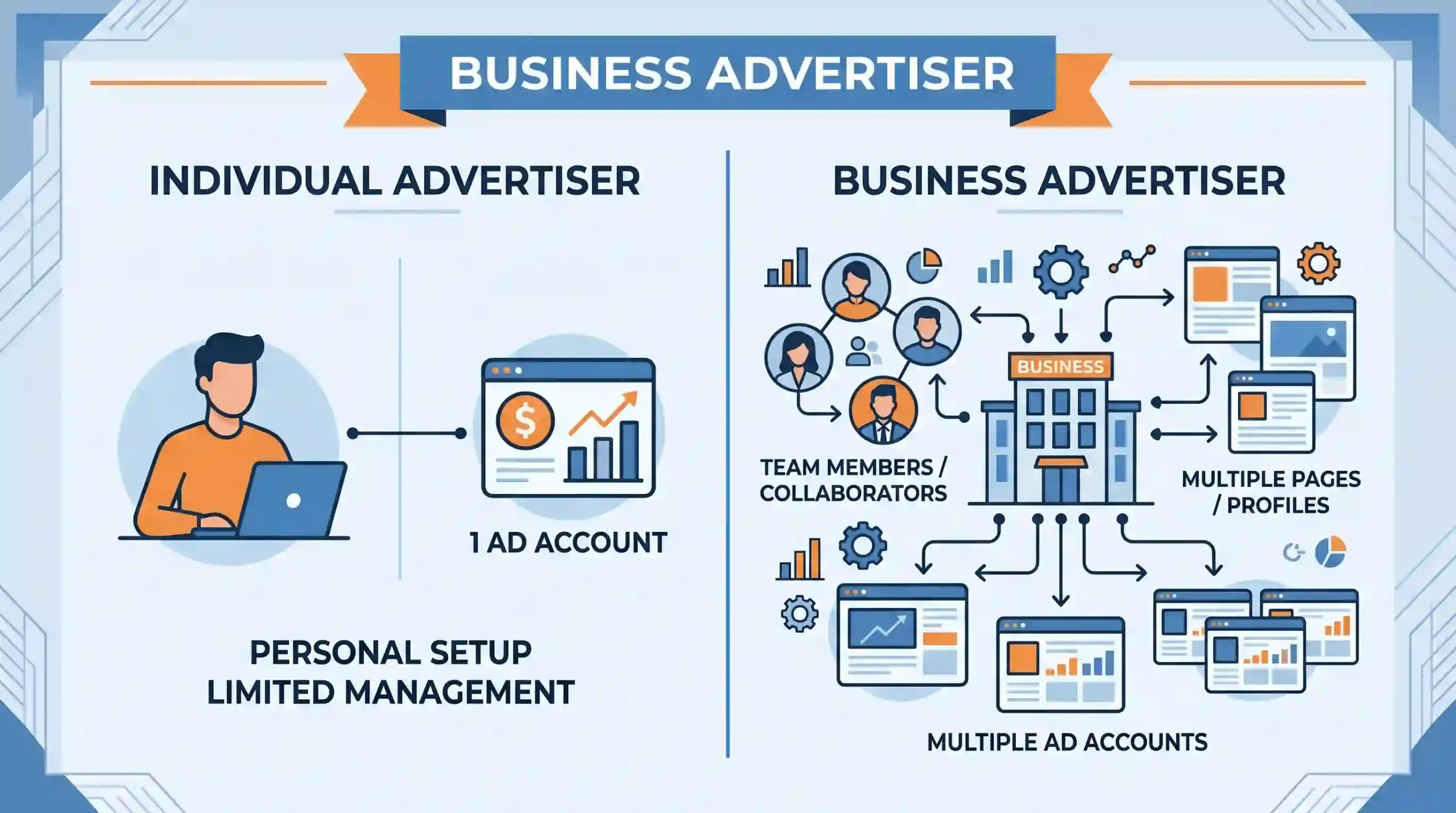
| Feature | Personal Ad Account | Business Manager |
|---|---|---|
| Ad Accounts | 1 | Multiple (depending on BM type) |
| Team Access | Not possible safely | Role-based access |
| Daily Spending Limit | Very low ($50 or less) | Higher, scales faster |
| Pixel Management | Limited | Full control |
| Recovery Options | Minimal | More pathways |
| Risk if Banned | Lose everything | Assets can be isolated |
The difference is not just convenience — it is the foundation of a scalable advertising operation.
Types of Business Managers You Should Know About
Not all Business Managers are the same. The one you start with matters a lot.
BM1 (Standard Business Manager): The default type. Allows you to create one ad account. Good for getting started but limits scaling.
Aged Business Manager: A BM that has existed for 1-3 years. Facebook’s algorithm tends to trust older accounts more, which means fewer random restrictions and faster limit increases.
Verified Business Manager: A BM that has been verified with company documents. These come with higher initial spending limits (often starting at $50/day) and are significantly harder for Facebook to restrict without cause.
Reinstated Business Manager: A BM whose advertising access was removed and then successfully restored. These accounts have already passed through Facebook’s review process, which in some cases makes them more stable.
For agencies managing multiple clients, a Verified or Aged BM is not a luxury — it is a requirement for running ads without constant disruption.
Why Your Business Manager Gets Restricted
Facebook restricts Business Managers for several reasons. Understanding them helps you avoid the most common mistakes.
New account, aggressive spending. If you try to spend $500/day on a BM that is a week old, Facebook’s fraud detection flags it. Spending needs to ramp up gradually.
Policy violations in ads. Ads that make health claims, use before-and-after images, or target restricted audiences get accounts flagged quickly.
Suspicious login patterns. Logging in from multiple locations or using tools that Facebook’s system flags as automation triggers account reviews.
Unverified identity. BMs without ID verification are held to stricter limits and are faster to restrict when anything looks unusual.
No real activity history. Fresh BMs with no organic page activity, no verified payment methods, and no gradual spending history look risky to Facebook’s system.
The goal is to look like a real business running legitimate ads — because that is exactly what Facebook’s system is checking for.
How to Set Up a Business Manager Correctly
If you are starting from scratch, here are the steps to do it properly:
- Go to business.facebook.com and create your Business Manager with your real business name.
- Add your Facebook Page to the BM — do not create a new page, use one that already has organic activity.
- Add a payment method — a real credit card or business payment method, not a prepaid card.
- Create your ad account inside the BM — do not add an existing personal ad account.
- Set your ad account’s time zone and currency to match your actual business location.
- Start with a low daily budget ($10-20/day) and increase it gradually over 2-3 weeks.
- Run your first campaigns on warm audiences — people who already know your business — before targeting cold traffic.
This gradual warmup is what separates BMs that last from ones that get flagged in the first month.
What is a Verified Business Manager and Why It Matters
A Verified Business Manager has gone through Facebook’s official business verification process. This means Facebook has confirmed:
- The business name and legal documents match
- The phone number and address are valid
- The domain linked to the BM is owned by the business
After verification, the BM gets access to higher spending limits and certain ad formats that are not available to unverified accounts.
For media buyers and agencies running multiple clients, verified BMs are the standard. An unverified BM can work, but it is always one review away from a restriction.
If you need a verified Business Manager and do not want to go through the full documentation process yourself, Proads Assets offers verified BMs that are already set up with proper verification — so you can start running ads without the wait or the risk of the verification being rejected.
Frequently Asked Questions
Can I have multiple Business Managers?
Yes. Facebook allows one Business Manager per personal account by default. For multiple BMs, you typically need separate Facebook profiles — each with its own BM.
What is the difference between a BM1 and a BM5?
The number refers to how many ad accounts the BM is allowed to create. A BM1 can create 1 ad account. A BM5 can create up to 5. Higher limits are earned through spending history or verification.
Why did my Business Manager get disabled even though I followed the rules?
Facebook's automated systems make mistakes. The most common reasons are: unusual login activity, ads that triggered policy review, or payment issues. You can appeal through the Business Support Center, but this process is slow and not always successful.
Is a verified BM better than a reinstated BM?
They serve different purposes. A verified BM has higher trust from Facebook's system due to documentation. A reinstated BM has already passed through a restriction and recovery cycle. Both are more stable than a fresh unverified BM.
How long does it take to increase spending limits on a new BM?
Typically 4-8 weeks of consistent, policy-compliant spending with no flags. Starting too aggressively resets this process.
Final Thought
A Business Manager is not just a tool — it is the structure your entire Facebook advertising operation runs on. Getting it right from the beginning saves you from the disruptions that cost media buyers and agencies real money.
If your current setup is unstable, or if you are starting fresh and want to skip the warmup period entirely, the right BM makes that possible. Explore verified and aged Business Managers at Proads Assets and start with infrastructure that is already built to handle real ad spend.