
Facebook Fan Pages for Ads: Why Older Pages Get Better Results
Updated: June 2026 | 6 min read
Your Facebook ad isn’t just about the creative. The page it runs from is part of what determines how much you pay per result. Most advertisers create a page, add a logo, and start running campaigns the same week — then wonder why their CPM is high and their ads keep going into review. The page is usually the problem.
In This Article:
Why Facebook Page Age Affects Your Ads
Facebook’s algorithm uses your page as a trust signal. A page created yesterday and a page active for three years aren’t equal — even if they look identical. The algorithm knows the difference and adjusts how it distributes your ads accordingly.
When you run an ad, Meta’s system evaluates the page behind it. It checks how long the page has existed, what its engagement history looks like, and whether the page has a pattern of normal business activity. A new page has none of this. An aged fan page has all of it — and that changes how your campaign delivers from day one.
This is why two advertisers can run near-identical campaigns and see very different CPMs. The page underneath is doing more work than most people realize.
Understanding this is the first step toward fixing expensive campaigns that aren’t about creative quality at all.
What Actually Changes With an Aged Page
Page age affects four concrete areas of your ad performance. These aren’t theoretical — they show up in real campaign data.
Cost Per Impression (CPM). Ads from pages with engagement history typically achieve 20–40% lower CPMs in the first 30 days compared to identical ads from new pages. The algorithm favors distributing content from sources it already recognizes as real.
Ad review speed. New pages often sit in review for 24–48 hours, especially in the first weeks. Pages with a clean history and consistent past activity move through review faster — fewer campaign interruptions.
Initial reach cap. Facebook limits how broadly it distributes ads from pages it doesn’t yet know. That cap lifts as the page builds history — but it’s already lifted for an aged page with prior activity.
Buyer credibility. When someone clicks an ad and lands on your page, a page with 8,000 followers and posts going back two years looks very different from a page created last month with 47 followers. That credibility gap affects conversion rates, not just delivery.
New Page vs Aged Fan Page: Direct Comparison
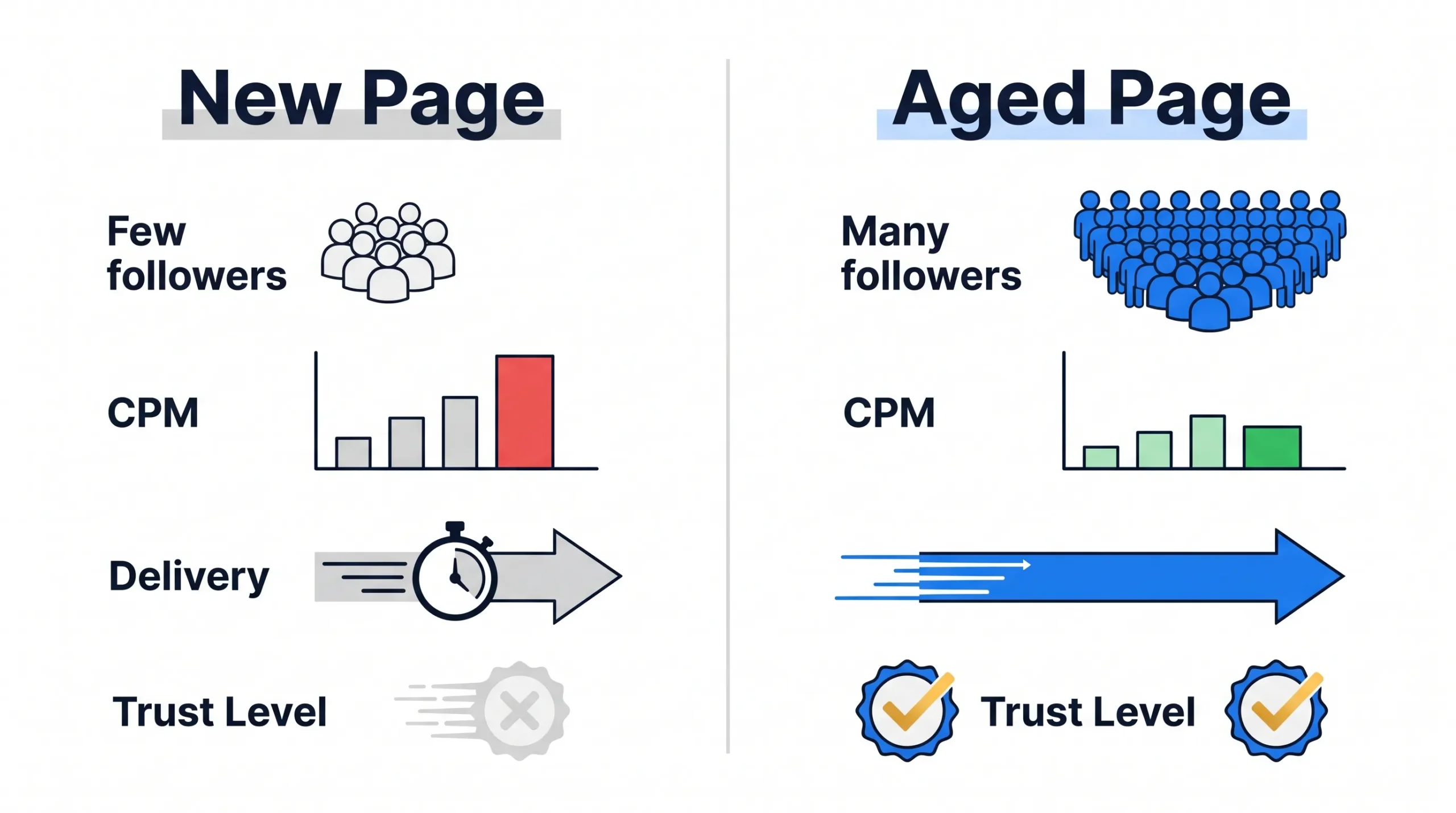
Trust Level. New page starts at zero. Aged page enters with an established record Meta already recognizes.
CPM in first 30 days. New page typically runs 20–40% higher. Aged page has a lower baseline from campaign day one.
Ad review frequency. New pages face more random holds. Aged pages with clean history move through review faster.
Spending limit progression. New pages grow slowly over 8–12 weeks. Aged pages progress faster because the algorithm has prior behavior to reference.
Organic follower base. New page has none. Aged page brings an existing audience that adds credibility to every ad served from it.
Which Types of Fan Pages Work Best
Pages with real engagement. A page with 4,000 followers and genuine likes, comments, and shares is more valuable than one with 40,000 followers and zero interaction. Meta can identify inflated follower counts — fake engagement doesn’t carry real trust signals.
Pages near your niche. A page that’s spent two years posting fitness content is a stronger base for health supplement ads than a page with no content theme. The further the mismatch, the more scrutiny the campaigns attract.
Pages with a clean ad history. Check the Facebook Ad Library if possible. A page that’s had ads disapproved repeatedly carries those marks forward.
Pages inside a solid Business Manager. A fan page already connected to a verified BM is a better asset than one sitting as a standalone page with no BM history.
How to Use a Fan Page for Ads Correctly
Getting an aged page is half the work. How you bring it into your setup determines whether you preserve the trust it came with.
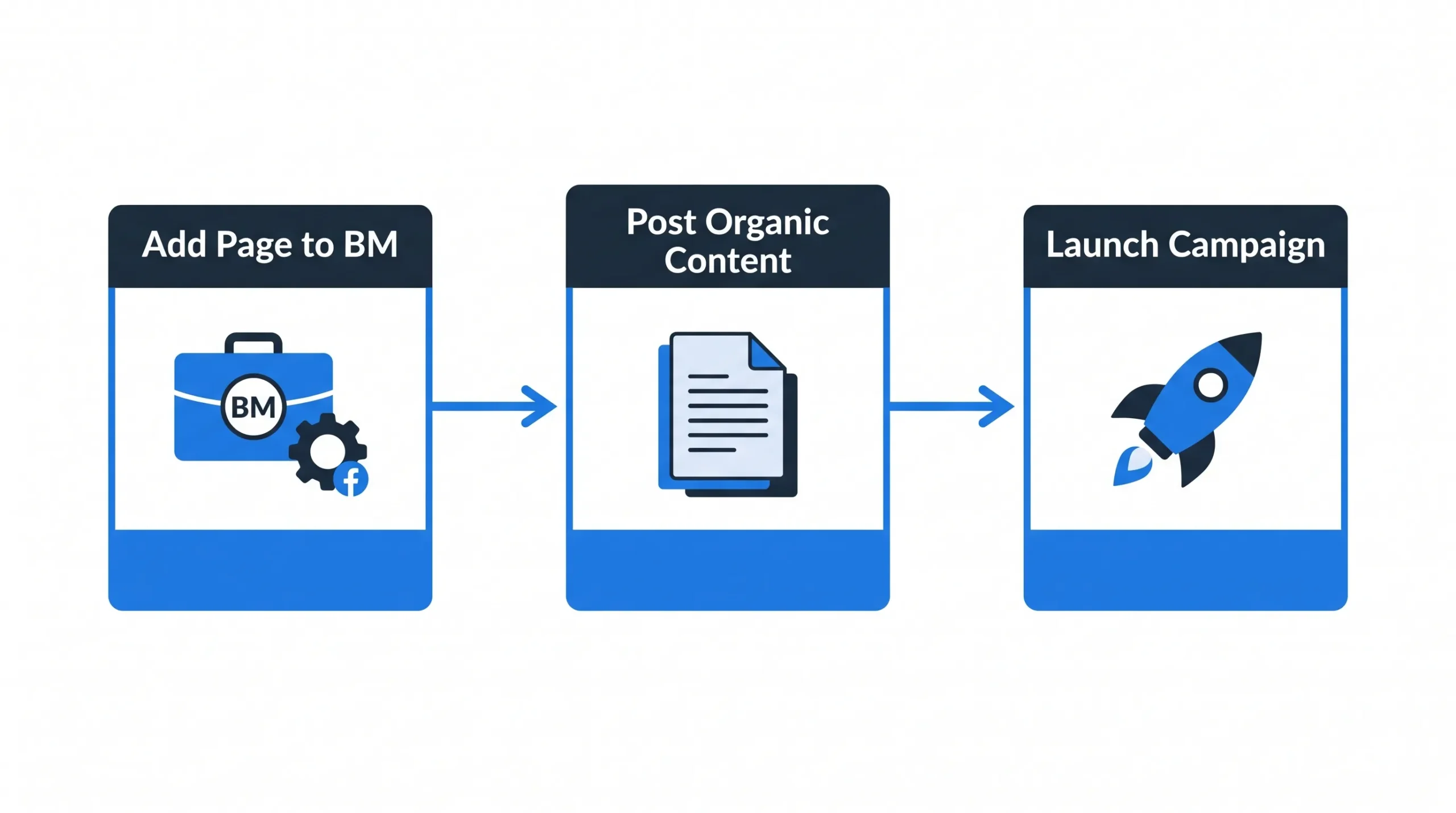
Connect to your Business Manager first. Add the page to your BM before running any campaigns. This keeps it inside your controlled advertising infrastructure.
Post organic content before launching ads. Even if the page has years of history, post 3–5 pieces of relevant content in the first week. This activates the page’s recent engagement signals before campaign launch.
Start with warm audiences. Your first campaigns from this page should retarget people who already know your business — website visitors, customer lists, or page engagers. Cold traffic draws more scrutiny from a newly connected page.
Don’t change the page name immediately. Facebook limits name changes and flags rapid rebranding. Wait at least 2–3 weeks after connecting the page before making any changes to name or category.
Monitor page quality score. Inside Business Suite, your page has a quality rating. If it drops, reduce campaign pressure and run clean organic content for a period before resuming ads.
Common Mistakes Advertisers Make
Using a page with irrelevant niche history. A page that spent three years posting about cooking and is now running cryptocurrency ads is an immediate mismatch signal. The worse the mismatch, the more scrutiny the ads attract.
Ignoring the page after connecting it to ads. Pages that run ads but show zero organic posts look like shell accounts to Meta. Post 2–3 times per week minimum to maintain active business page signals.
Rushing the warmup. The same principle that applies to ad accounts applies here. Jumping from zero ad activity to heavy spend on day one triggers reviews regardless of how old the page is.
Your Next Step
An aged Facebook Fan Page lowers your ad costs, speeds up delivery, and builds buyer trust that a new page can’t replicate for months.
- Facebook Fan Pages — aged pages with real engagement history
- Verified Business Managers — connect your fan page to a BM with verified status
- Facebook Business Manager Setup Guide →
Need help choosing the right page for your niche? Contact Proads Assets.
Frequently Asked Questions
Does Facebook page age affect ad performance?
Yes. Older pages with real engagement history achieve lower CPMs, faster ad review, and broader initial distribution compared to new pages. The algorithm treats established pages as more trustworthy sources for ad delivery.
How old does a Facebook page need to be to run ads?
There’s no minimum age requirement. Any page can run ads immediately. But pages under 3 months old face stricter delivery limits and higher initial CPMs. Pages with 1–2 years of history perform significantly better from the start.
Why are old Facebook pages better for advertising?
Old pages have spending and engagement history that Meta’s algorithm uses to assess trustworthiness. That history leads to lower CPMs, faster reviews, and better ad delivery — all things a new page has to earn slowly over time.
Can I change the name of an aged Facebook Fan Page?
Yes, but Facebook limits how often you can change a page name. Do it once, make it count, and wait 2–3 weeks after acquiring the page before making the change to avoid flagging.
How many fan pages can I connect to one Business Manager?
There’s no hard cap, but adding too many pages at once triggers reviews. Add pages gradually, one or two at a time, and maintain real activity on each one to avoid suspension signals.
About the author: The Proads Assets team sources and verifies Facebook advertising assets for media buyers and agencies. Every fan page comes with documented engagement history. Browse available pages here.