Digital marketers know the panic: your phone dies during a critical campaign launch, and you’re locked out of Facebook Ads Manager, Google Ads, and every client account. At slateblue-frog-623123.hostingersite.com, we’ve seen professionals lose thousands in ad spend because they couldn’t access time-sensitive campaigns. The solution? A browser-based authenticator that eliminates phone dependency entirely.
Why Digital Marketers Are Abandoning Phone-Based Authenticator Apps
The Phone Dependency Problem That No One Talks About
Google Authenticator and similar apps chain your security to a single device. Drop your phone in water, switch devices, or travel without it, and you’re locked out. For agencies managing 15+ client accounts, this isn’t just inconvenient—it’s a business continuity crisis.
The Cross-Device Access Nightmare
Working from your laptop at a coffee shop? Your codes are on your phone at home. Need to access accounts from your office desktop? Your authenticator lives on your personal mobile device. This constant device-switching wastes 10-15 minutes daily across account logins.
What Makes Browser-Based Authentication Different (And Better)
How Pro Authenticator Works
Unlike phone apps, Pro Authenticator runs entirely in your web browser. No downloads, no installations, no app store approvals. Open Chrome, Firefox, or Safari on any device, and your 2FA codes are ready.
The breakthrough? QR code image upload. Save a screenshot of any service’s QR code, upload it later to Pro Authenticator, and add accounts without real-time scanning. This means you can set up 2FA even when you’re not physically at the setup screen.
The Privacy Advantage
Your secret keys never leave your device. Pro Authenticator stores everything in your browser’s local storage—no servers, no cloud sync, no data collection. Even slateblue-frog-623123.hostingersite.com can’t access your codes. TOTP RFC 6238 Standard
Setting Up Pro Authenticator in Under 5 Minutes
Step 1: Enable 2FA on Your Account
Go to your platform’s security settings (Gmail, Facebook Business Manager, etc.) and select “Authenticator App” as your 2FA method.
Step 2: Save the QR Code
Take a screenshot of the QR code displayed. This is your backup if something goes wrong.
Step 3: Add to Pro Authenticator
Visit Pro Authenticator, click “Add Account,” then “Scan QR Code Image.” Upload your screenshot. The issuer, label, and secret key auto-populate.
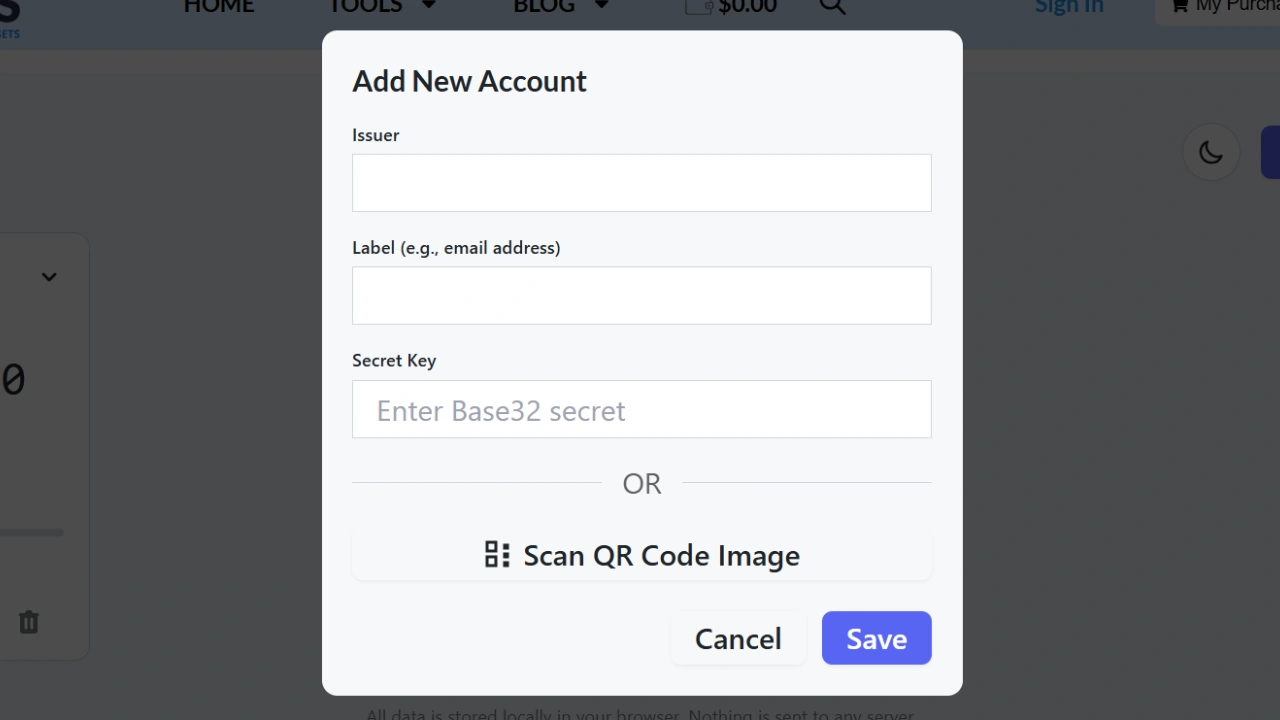
Step 4: Verify and Save
Copy the 6-digit code generated, paste it back into your service’s verification field, and you’re protected.
Advanced Use Cases for Marketing Professionals
Managing Client Accounts: Create separate browser profiles for each client. Each profile maintains its own Pro Authenticator instance with relevant accounts.
Team Access: Export your account data (without exposing secret keys) to document which accounts have 2FA enabled. Team members set up their own instances using the original QR codes.
Backup Strategy: Store QR code screenshots in an encrypted folder on your password manager. If you clear browser data, you can re-add accounts in 30 seconds.
Browser-Based vs. Google Authenticator: Honest Comparison
| Feature | Pro Authenticator | Google Authenticator |
|---|---|---|
| Installation Required | No | Yes |
| Works Offline | Yes | Yes |
| Cross-Device Setup | Instant (any browser) | Manual re-setup |
| Unlimited Accounts | Free | Free |
| QR Image Upload | Yes | No |
| Cloud Backup | Local only (more secure) | Optional |
Security & Privacy: What You’re Actually Getting
Pro Authenticator uses the industry-standard TOTP algorithm (the same as Google Authenticator). The difference? Your data stays on your device. Clear your browser storage and your codes disappear—inconvenient, yes, but proof that no one else has access.
Pro tip: Always enable recovery codes on critical accounts. If you lose access to Pro Authenticator, recovery codes are your lifeline.
FAQs About Browser-Based Authentication
Yes. The first 4 accounts require zero information. For unlimited accounts, complete a simple subscription form—no payment required. Your accounts disappear. Always keep QR code screenshots or secret keys backed up separately. Yes. Add accounts separately on each device using the same QR codes or secret keys. Authy syncs across devices via cloud. Pro Authenticator keeps everything local for maximum privacy. Completely. Once accounts are added, code generation happens locally without internet.Is Pro Authenticator really free?
What happens if I clear my browser data?
Can I use it on multiple devices?
How is this different from Authy?
Does it work offline?
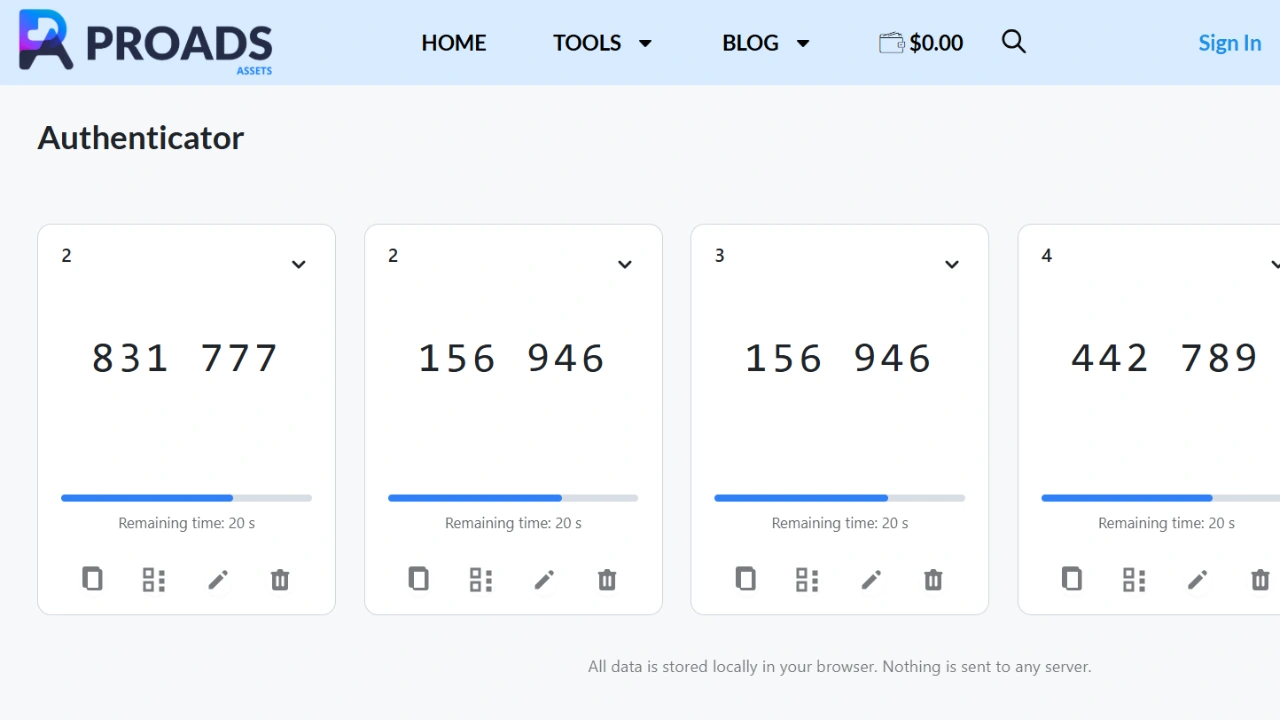
Your Next Steps: Secure Your Accounts in 5 Minutes
Stop risking your business on phone-dependent authentication. Visit Pro Authenticator now and add your first account. For advertising professionals serious about security, explore verified advertising assets at slateblue-frog-623123.hostingersite.com to complement your protected accounts.